
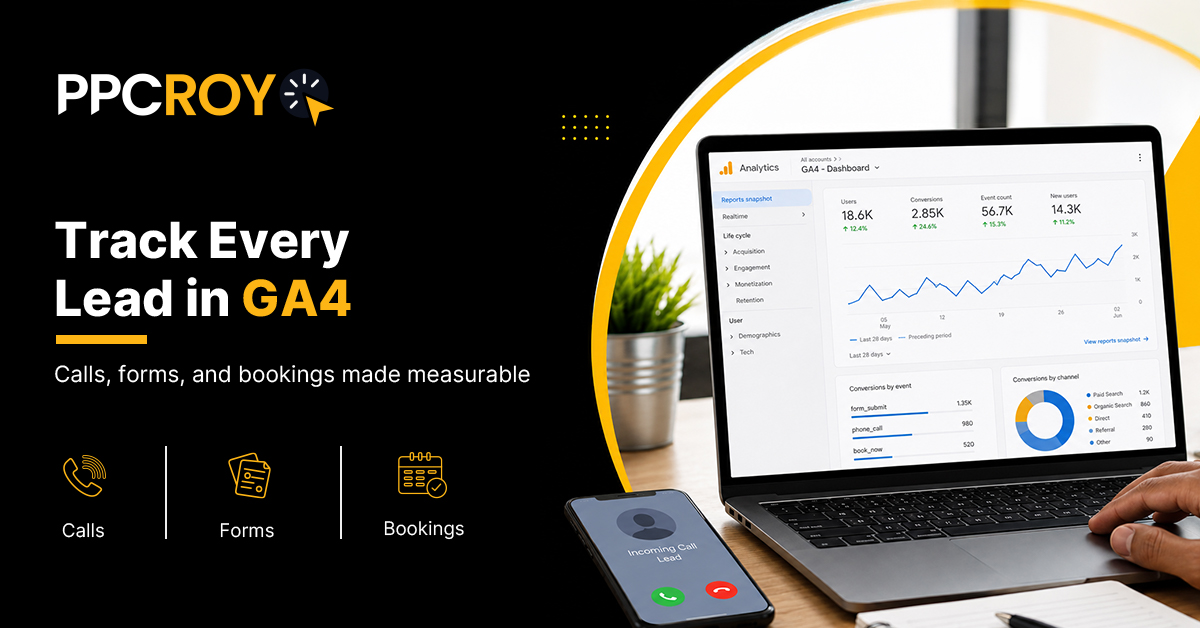
You’ve been running ads for six months. Traffic looks good. Leads are trickling in. But when you open GA4 and try to figure out which campaign actually drove the last customer, the report basically shrugs at you. Sound familiar?
Introduction
Something quietly broke in how most businesses track leads over the last two years.
As per Google’s official announcement, Universal Analytics came to an end on July 1, 2024. GA4 became the only game in town.
And most business owners still haven’t figured out how to make it work properly.
The result? A whole lot of dashboards that look busy but don’t actually tell you where your leads are coming from. Marketing decisions get made on vibes instead of data.
In the meantime, the prices of ads continue to rise. Since 2023, Forbes Advisor has been monitoring and tracking year-over-year growth in CPCs for most industries, which is about 10–15 percent. Which means every untracked lead is quietly costing you more than it did last year.
This blog is the complete GA4 lead tracking checklist for 2026. Forms, calls, bookings, WhatsApp clicks, the works. No fluff, no vague theory, just what to set up and how.
The Quick Version, If You’re Short on Time
Proper GA4 conversion tracking for leads needs six things in place:
- Form submission tracking (via GA4 events or GTM)
- Phone call tracking (with a call tracking tool or GTM click event)
- Booking tracking (Calendly, Google Calendar, or CRM-integrated tools)
- WhatsApp and chat click tracking (for service businesses especially)
- Key events set up correctly in GA4
- Google Ads conversions imported and mapped from GA4
Get these six right and lead attribution stops being a guessing game.
The Real Problem: Why Most Businesses Have Broken Lead Tracking
Here’s how it usually looks.
The business owner opens GA4 and sees engaged sessions, key events, and some traffic sources. They see “leads” showing up in the reports.
They just have no idea which channel actually drove them. Or if the count is even right.
They Google “why doesn’t GA4 show my leads properly” and get 40 different opinions about GTM, tags, and cross-domain tracking.
Behind the scenes, one of these things is almost always broken:
- No lead events are firing at all
- Events are firing but not marked as key events
- Everything’s being counted as “page_view” instead of “generate_lead”
- Google Ads isn’t reading the conversions from GA4
- The thank-you page loads before the event fires
Any one of these is enough to break your attribution. And most sites have more than one broken.
What GA4 Lead Tracking Actually Means
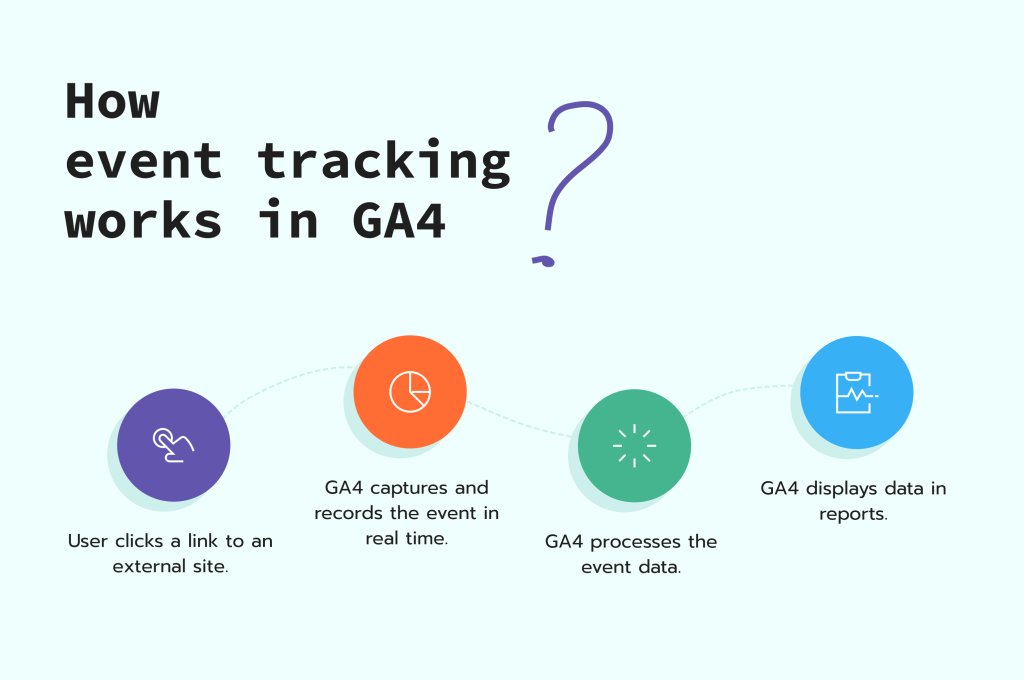
Quick definition, because the terms get muddled.
GA4 lead tracking is the setup that captures every meaningful action a potential customer takes on your site—form submissions, phone clicks, bookings, WhatsApp clicks and similar actions—and reports them as measurable events tied to their traffic source.
It’s not the same as “installing GA4.” Installing GA4 gets you traffic reports. Setting up lead tracking gets you revenue reports.
That’s why it is important to move from reporting 8,000 visitors to identifying 42 qualified leads from Google Ads, 18 from organic search and seven from Meta.
One is a vanity number. The other tells you where to spend your next dollar.
Why This Matters More in 2026
A few shifts in the last year make broken lead tracking more expensive than it used to be.
AI ad platforms now decide most of your targeting and bidding. The Wall Street Journal has covered how Google’s AI Max and Meta’s Advantage+ campaigns rely heavily on conversion signals to optimize.
If your conversion tracking is broken, the AI is basically optimizing blindfolded. It’ll spend your budget, but on the wrong actions.
Privacy changes have also complicated tracking. iOS updates, browser tracking restrictions and stricter consent requirements mean platforms need reliable first-party data more than ever, especially clean GA4 lead events.
Getting GA4 form tracking, GA4 call tracking, and GA4 booking tracking right isn’t optional in 2026. It’s the foundation your entire ad strategy sits on.
The Complete GA4 Lead Tracking Checklist
Here is the full setup, by lead type. Go through each in order.
Part 1: GA4 Form Tracking
This is the starting point for most GA4 tracking errors. If your contact form does not send a valid GA4 event to your property when someone submits, GA4 has no knowledge that a lead was generated.
How to set it up:
Option A: Native GA4 Enhanced Measurement — This option can work for basic contact forms but may not be reliable if the form uses a custom submission workflow, JavaScript validation, an AJAX-based submission or a popup thank-you message.
Option B (Recommended): Google Tag Manager (GTM) – Configure a “Form Submission” trigger in GTM. Set up a GA4 Event tag that fires this trigger and has an Event Name of generate_lead (Google’s recommended event name). Ensure you Mark this event as a Key Event within GA4.
This method is the cleanest way to set up form tracking and generally works with most website builders.
What to Watch Out For:
- If your form redirects to a thank-you page (consider GA4 Thank You page tracking instead)
- Multi-step forms where only the last step’s submission counts as a lead
- AJAX form submits that don’t cause a full page reload (this requires some custom event tracking in your website code or a GTM custom event tag)
- Test after each configuration.
Part 2: GA4 Call Tracking
Phone calls are usually the largest missing piece of the puzzle for service businesses.If your business generates leads through phone calls…(e.g., law, home services, healthcare, real estate) then not tracking calls is the reason why you’re not seeing the whole picture of where your business is coming from.
How to set it up:
Option A: Click-to-call with GTM – Set up a GTM trigger for the “Click” event when the target’s URL starts with “tel:” Fire a GA4 Event tag with a clear custom event name such as phone_call_click when this trigger occurs.
Ensure this is Marked as a Key Event. This is a good way to get started with phone call tracking on mobile devices.
Option B: Full call tracking software – Use a tool like CallRail, WhatConverts or Ringba. These services replace your website phone number with a dynamic number that routes the call back to you. They track which traffic source the call came from, call duration, keyword that triggered the call, and often allow you to mark a call as a lead or not. This is essential for businesses whose revenue driver is phone calls.
What to Watch Out For:
- Desktop users who simply “read” the number and call manually will not be tracked unless using a full call tracking solution.
- Businesses who have their phone number listed as an image, not a link.
- Calls made to a general phone number where it’s difficult to assign a traffic source.
- Be mindful of your customers’ behaviour—are they calling from desktop or mobile devices?
- Are they looking up your phone number directly or are they clicking on it?
Part 3: GA4 Booking Tracking
If your business has an appointment booking tool or service such as Calendly, Google Calendar, HubSpot Meetings, or something similar, then booking tracking is very important.
Appointments are often your highest quality leads.
How to set it up:
For Calendly – Head to your Calendly account and ensure that “Events” are turned on within your “Integrations.” Input your GA4 measurement ID. Calendly will automatically report on when a user has successfully completed a booking. Alternatively, if you utilize a custom confirmation page, you may want to set up a GTM tag for GA4 with a specific confirmation URL.
For HubSpot Meetings – If you have integrated HubSpot with GA4, then HubSpot can be used to pass data about your HubSpot Meetings into your GA4 property.
For custom booking pages – Set up GA4 thank-you-page tracking. When a customer completes a booking and reaches a unique confirmation URL, configure a GA4 Event tag that sends a generate_lead event with an event parameter identifying the action as a booking.
What to Watch Out For:
- Bookings placed inside an iframe can be tricky without a cross-domain setup in GA4.
- Thank you page tracking won’t work if your booking page doesn’t load a new URL on success.
- Rescheduling is sometimes tracked as a new booking depending on the configuration.
Part 4: GA4 WhatsApp and Chat Click Tracking
millions of small businesses across India, Southeast Asia, Latin America and parts of the Middle East region use Whatsapp as a primary source for customer engagement and lead generation. Many people in those markets expect to interact on platforms like whatsapp for business communication. If you were not tracking whatsapp, you would be flying blind with one of the top channels that can bring the most leads to your website.
How to set it up:
Set up a GTM trigger for clicks when the link URL contains “wa.me” or “api.whatsapp.com.” Configure this trigger to fire a GA4 Event tag with an Event Name of whatsapp_click. Ensure you mark this event as a key event.
The same method applies to other chat tools like Intercom, or Facebook Messenger chat buttons or Instagram DM buttons that send users to specific contact methods.
What to Watch Out For:
- Users who simply copy your phone number from your website instead of clicking on it (untrackable)
- Floating Whatsapp buttons that have been injected by WordPress plugins can sometimes use custom classnames.
- The difference between whatsapp clicks that originate from mobile devices vs. Desktop devices.
Tracking WhatsApp clicks on your website inGA4 is a setup that many marketers overlook. This will show you how effective that critical channel actually is for generating business.
Part 5: Set Up GA4 Key Events
This is where the magic really happens and the setup piece that is commonly missed. After you’ve set up an event, simply firing it in GA4 does not mean it is being treated as an important website action. You must mark the relevant event as a key event.
How to set it up:
Go to Admin>Events in GA4. Find the events you have set up (generate_lead , phonecallclick, whatsappclick, etc). Toggle the “Mark as key event” option to on for each one.
If your events are not showing up in this section yet, give GA4 up to 24 hours after the event has been triggered for the first time before checking.
Where possible, use the standard event names that Google provides (e.g. generate_lead vs custom event name like ‘newleadfromcontact_form’). These are mapped automatically toGoogle Adsand other reporting dashboards.
Part 6: Import GA4 Conversions into Google Ads
Many businesses take on the complex work of GA4 conversion tracking only to fail at the last hurdle, the integration. If you don’t import yourGA4 Key Events intoGoogle Ads, thenGoogle Ads does not know about any of your lead generating events that are happening on your website. The GoogleAds search team doesn’t magically have insight into the fact that when a customer completes that contact form, that’s a valuable lead for you.
How to set it up:
InGoogle Ads, navigate to “Tools & settings” > “Conversions” > “New conversion action.” Select “Import” and then choose “Google Analytics 4 properties.” Click continue and select theGA4 property associated with yourGoogle Ads Account.
Now, simply select theGA4 Key Events you want to import and the type of conversion.
Typically, you will set GA4 events like generate_lead , phonecallclick, or whatsappclick to be ‘Primary’ within yourGoogle Ads conversion settings.
What to Watch Out For:
- If direct Google Ads conversion tracking is already set up on your website, review both tracking methods carefully. Choose the most appropriate conversion action as Primary and ensure duplicate actions are not both being used for bidding.
- Ensure your Attribution Model aligns with your GA4 setup or understand how differences will impact your analysis.
- Allow 24-48 hours for the GA4 key events to sync into yourGoogle Ads account before assessing performance.
Implementing GA4 for conversion tracking properly can turn a confusing expenditure on ads into a highly measurable, customer-generating system that provides a predictable cost-per-lead.
Common GA4 Tracking Mistakes to Avoid
A few patterns show up in almost every audit.
Mistake #1: Firing Events Without Marking Them as Key Events
The event exists. It’s just not counted. Fix by marking it as a key event in GA4 Admin.
Mistake #2: Using Page_view, Instead of the Real Event
While a pageview to a thank-you page technically works and will count as a conversion, it’s also going to account for things like accidental page reloads, bookmarks and people landing directly on the page. A generatelead event would be much better for your reporting.
Mistake #3: Not Testing After Setup
Click your own phone number. Click your own “submit button.” Book your own fake appointment. Before you move on, just verify that it’s firing to GA4 real-time/debug report.
Mistake #4: Not Using Cross-Domain Tracking
If you send the user to a thank-you page on another domain (such as PayPal, or on a subdomain), then you’ll need to make sure you set up cross-domain tracking. Otherwise, your attribution will not work properly.
Mistake #5: Skipping the Google Ads Import
GA4 shows the lead. Google Ads doesn’t know about it. Smart Bidding optimizes for whatever conversions it does see, usually clicks. That’s a fast way to burn a budget.
Lead Attribution: The Big Payoff
Once your tracking is clean, lead attribution actually works.
You can finally answer questions like:
- Which channel drove this month’s best-quality leads?
- Which landing page has the highest conversion rate?
- Which ad campaign brought in the leads that closed?
- Where should we shift the budget for next quarter?
Without proper lead attribution GA4, every marketing decision is a guess. With it, every dollar has a paper trail.
That’s not glamorous work. But it’s the difference between businesses that scale predictably and businesses that panic every quarter because they can’t tell what’s working.
When to Actually Do This
If any of these sound familiar, this is a this-week problem, not a next-quarter one.
You’re spending on ads but can’t tell which campaigns generate real leads. Your GA4 dashboard shows numbers but they don’t match your CRM.
You’ve never actually tested a form or call to confirm the event fires. Google Ads is optimizing for something, but you’re not sure what.
Every day you run ads without clean tracking, you’re paying for a lesson you can’t collect. The businesses that fix this early have a compounding advantage.
How PPCROY Actually Helps
Most in-house marketing teams weren’t built for GA4. They were built for the old Universal Analytics world where a conversion pixel and a thank-you page were enough.
PPCROY sets up and audits full lead tracking for every client. Forms, calls, bookings, WhatsApp, chat. All firing correctly, all imported into Google Ads, all feeding clean data back into Smart Bidding.
If your GA4 is a mess, or you just want to know if it’s actually working, that’s exactly the audit the team runs first.
FAQs
What is GA4 lead tracking?
GA4 lead tracking is the setup that captures every meaningful action a potential customer takes on your site, form submissions, calls, bookings, WhatsApp clicks, and reports them as measurable events tied to their traffic source.
How do I track form submissions in GA4?
The most reliable way is through Google Tag Manager. Set up a Form Submission trigger, fire a generate_lead event, and mark it as a key event in GA4.
How do I track phone calls in GA4?
For basic tracking, use GTM to fire a phone_call_click event whenever someone clicks a tel: link.
For full call tracking, use a tool like CallRail that assigns dynamic phone numbers to each traffic source.
How do I track bookings in GA4?
Depends on the tool. Calendly and HubSpot Meetings both integrate directly with GA4. For custom booking systems, fire a generate_lead event on the confirmation page.
Can I track WhatsApp clicks in GA4?
Yes. Set up a GTM click trigger for links containing wa.me or api.whatsapp.com. Fire a whatsapp_click event and mark it as a key event.
How do I import GA4 conversions into Google Ads?
In Google Ads, go to Tools → Conversions → New → Import → Google Analytics 4. Pick the key events you want to import. Mark them as Primary conversions.
What’s the difference between events and key events in GA4?
Events are any tracked action on your site. Key events (formerly called conversions) are the specific events that matter for business outcomes. Only key events show up in conversion reports.
Do I need Google Tag Manager for GA4 lead tracking?
Not strictly required, but strongly recommended. GTM makes complex tracking much easier to manage and update without needing a developer every time.
Trust / Proof / Expert Insight
The recommendations in this blog draw on Google’s own official GA4 documentation, Forbes Advisor’s ongoing PPC and analytics coverage, and The Wall Street Journal’s tech reporting on how ad platforms rely on conversion data.
These are the same fundamentals professional analytics and PPC teams use when setting up tracking for clients. The framework is battle-tested across hundreds of small business audits.
What to Do Next
If your GA4 lead tracking is a mess (or you’re not sure whether it’s working), book a free tracking audit with the PPCROY team. We’ll show you exactly what’s firing, what’s not, and what to fix first.
Not ready for a call yet? Grab our free GA4 Lead Tracking Setup Guide, the same document PPCROY specialists use when onboarding new clients.
Helpful Reads on This Site
- AI Search Optimization: How Brands Can Rank in ChatGPT, Gemini, and Google AI
- AI Overview Ranking in 2026: Improve Google AI Visibility
- 5 Common Google Ads Mistakes to Avoid in 2026
- The Future of Search: How Voice Search Is Changing SEO in 2026
- Top AI Tools Business Owners Should Know About for Digital Marketing in 2026
- Accelerate Brand Impact Through PPCROY’s Next-Gen Web Experience Architecture
- Why Your Google Ads Are Spending Money but Not Getting Quality Leads
- Zero-Click SEO in 2026: How to Stay Visible When Users Don’t Click Your Website
- Why Your Website Gets Traffic but No Leads (and How to Fix It)
Wrapping This Up
GA4 lead tracking isn’t glamorous. But it’s the foundation everything else in your marketing sits on.
Without clean tracking, every ad decision is a guess. Every optimization is a shot in the dark. Every Smart Bidding campaign is optimizing for the wrong thing.
The businesses winning in 2026 aren’t the ones with the biggest budgets. They’re the ones who can actually see where their leads are coming from.
Most small businesses skip this step and pay for it in wasted ad spend for years. The ones who fix it early have an advantage that compounds every single month.
If you want your GA4 tracking sorted properly, PPCROY can help. Book a free tracking audit and you’ll see exactly what’s working, what’s broken, and what to fix first, usually in under 30 minutes.
About PPCROY
PPCROY is a results-driven digital marketing and growth agency focused on helping businesses generate more qualified leads, improve conversions, and scale revenue through strategic online marketing. The team provides expert support across services such as SEO, Google Ads, Meta Ads, funnel optimization, landing page strategy, and performance-focused digital campaigns. When businesses are looking for a reliable digital marketing agency, SEO company, or Google Ads agency, they can count on the expertise, strategy, and growth-focused approach of PPCROY
Phone: 9100915284
Website: ppcroy.com